Veo 3.1 Model Reference
Review Google Veo 3.1 inputs, generation settings, and prompt examples.
Overview
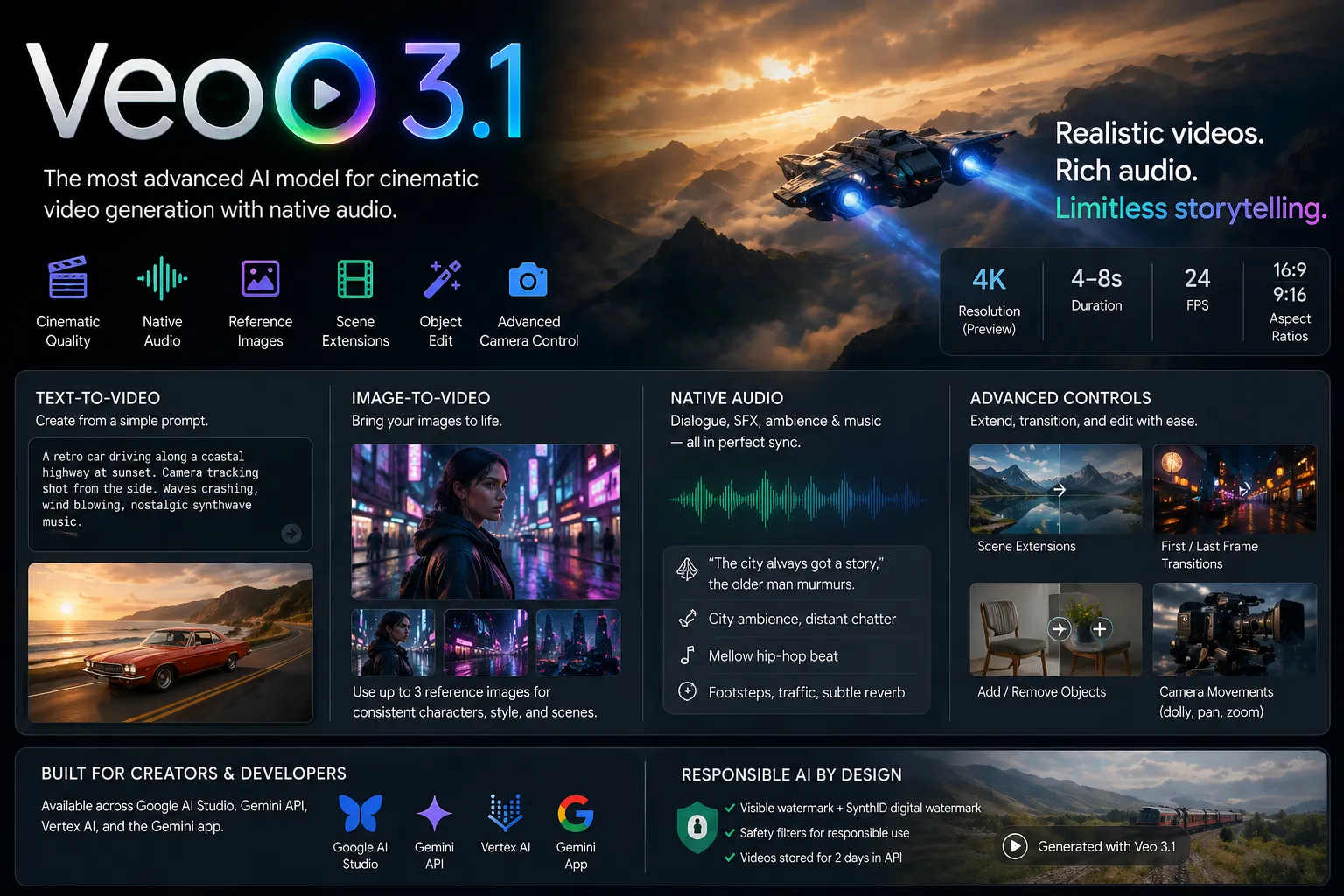
Veo 3.1 is Google's latest video generation model, designed for filmmakers, storytellers, and developers. It produces realistic, cinematic 4-8 second video clips (extendable via API) with synchronized native audio, including dialogue, sound effects, ambient noise, and music. The model supports both text-to-video and image-to-video workflows, with advanced controls for reference images, scene extensions, first/last frame interpolation, and object insertion/removal.
Key Capabilities
- Resolutions: 720p (default), 1080p, and 4K (preview; 8-second duration only for higher resolutions)
- Aspect Ratios: 16:9 (landscape) and 9:16 (portrait)
- Durations: 4, 6, or 8 seconds (8 seconds required for reference images, high resolution, or extensions)
- Frame Rate: 24 FPS
- Inputs: Text prompts (up to 1,024 tokens), up to 3 reference images for character/style consistency, or prior Veo-generated videos for extension
- Outputs: MP4 video with embedded native audio
- Creative Controls: Reference images (portrait/landscape), scene extension, first/last frame transitions, object add/remove, camera movements (dolly, pan, zoom), and cinematic styling
- Audio: Native generation fully synced to visuals—supports dialogue (in quotes), SFX, ambient sound, and music
Strengths
- Exceptional realism in physics, lighting, shadows, and natural motion
- Superior prompt adherence and cinematic understanding (camera language, composition, styles)
- Rich native audio that enhances storytelling without post-production
- Strong character and style consistency via reference images
- Flexible creative tools for professional workflows (extensions, transitions, object editing)
- Available across Google AI Studio, Gemini API, Vertex AI, and consumer tools like Gemini app
Limitations
- Short base clip length (4-8 seconds; extensions possible but limited to Veo-generated source videos)
- Generation latency varies (seconds to minutes depending on load and resolution)
- Strict safety filters block harmful or policy-violating content (including certain person generation in some regions)
- All outputs include visible watermark + SynthID digital watermark for AI detection
- Videos stored temporarily (2 days in API); must be downloaded promptly
- No guaranteed determinism even with seed; audio dialogue consistency can vary for longer speech
- Higher resolutions and extensions have stricter constraints (e.g., 720p only for some extensions)
How to Write Effective Prompts
Veo 3.1 excels with highly descriptive, cinematic prompts. Structure your prompt like a film direction:
- Subject + Action: Start with the main scene and motion (e.g., "A wise old owl soaring through moonlit clouds")
- Camera & Composition: Specify shots and movement ("follow shot", "slow dolly zoom", "shallow depth of field")
- Style & Mood: Add artistic direction ("cinematic, photorealistic", "in the style of Studio Ghibli")
- Audio: Describe sound explicitly ("wings flapping loudly", "mellow hip-hop beat with faint city murmurs", or dialogue: "What manner of magic is this?" the owl hooted)
- Reference Images: Upload 1-3 images for characters/objects/styles to lock consistency
Example Prompt:
"A medium shot of a seasoned grey-bearded man in sunglasses and a paisley shirt standing on a bustling city street at dusk. Camera slowly pushes in as he smiles. Faint city murmurs and distant chatter, accompanied by a mellow soulful hip-hop beat. 'The city always got a story,' the older man murmurs thoughtfully. Cinematic lighting, realistic physics."
Negative Prompt Example (supported):
"blurry, distorted faces, text, logos, watermarks, low quality, artifacts"
Use the API parameters for fine control: aspect_ratio, resolution, durationSeconds, and reference images.
